Hotkey app launching
Press Option-Space, type an app name or prefix, then press Return to open the selected macOS app.
Native macOS launcher
Open it with a hotkey, type what you need, and launch apps, calculate expressions, search clipboard history, or choose a web search without breaking flow.
Official releases are hosted only on the qshine/Lapp GitHub repository. Current builds are ad-hoc signed and not notarized.
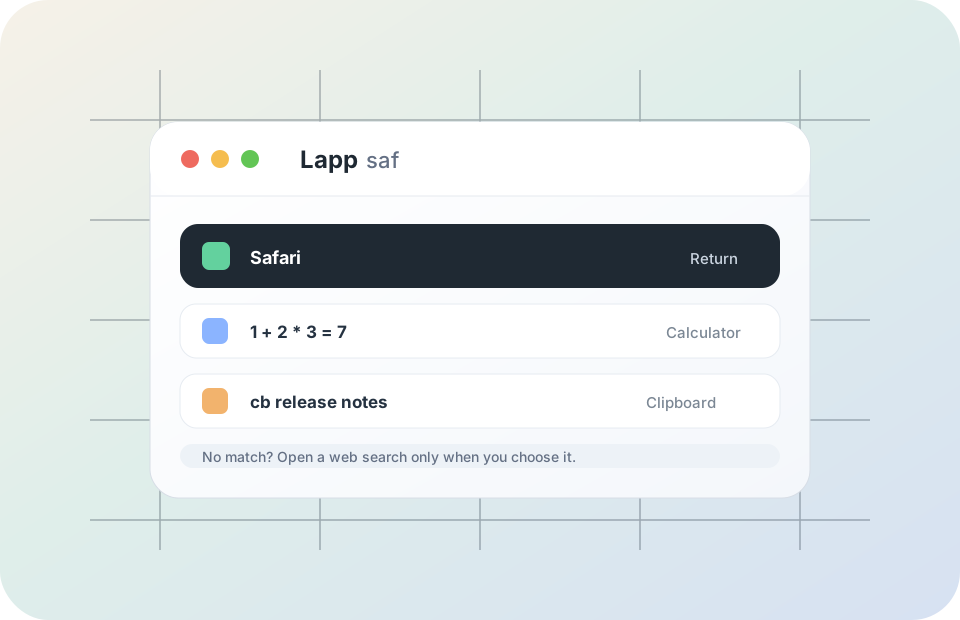
Lapp keeps to the workflows already in the app: keyboard-first launching, learned ranking, calculator results, clipboard recall, and explicit web search fallback.
Press Option-Space, type an app name or prefix, then press Return to open the selected macOS app.
When multiple apps match the same query, Lapp remembers what you chose and promotes it next time.
Type expressions like 1 + 2 * 3 and copy the evaluated result from the launcher.
Use cb or cb keyword to find recent plain-text clipboard entries stored on your Mac.
If there is no app match, Lapp can open a Google search in Chrome or your default browser when you choose it.
A compact menu bar app, native icons, and a focused input keep it out of the way during Vibe Coding sessions.
Lapp's page adds no analytics, tracking scripts, forms, or hosted backend. The app keeps core launcher behavior local; GitHub Pages may still serve the page through GitHub's normal hosting infrastructure.